Shelly Utility
The Shelly Utility application allows you to get a quick overview of your Shelly devices, shows detailed information about them, helps to diagnose WiFi issues or device instabilities and simplifies firmware updates. Whenever a Shelly I/O server is defined in HSYCO, the Shelly Utility will appear among the applications of the manager.
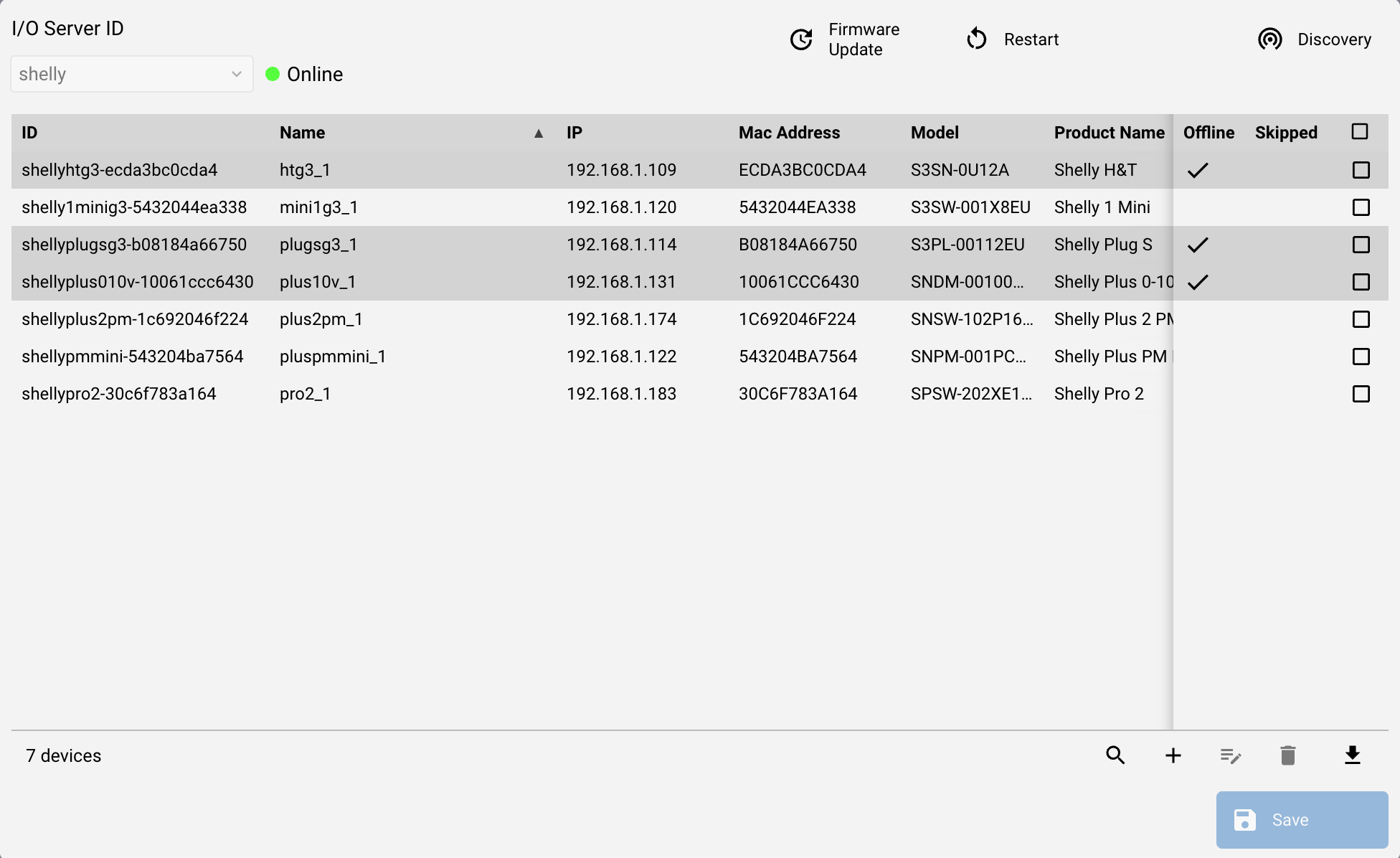
Discover devices by pressing the "Discovery" button. Devices will start to appear in the Devices table with their basic information. Discovery can also be started by manually adding a Device by knowing its IP address. The 'Offline' column is used to show devices that didn't respond to the 2-minutes poll, while the 'Skipped' column indicates Devices whose configuration changed after discovery, and whose packets will be discarded until HSYCO is restarted. The same poll updates the WiFi connection, the uptime, whether the Device requires a restart and whether a firmware update is available, each shown in its own column.
To manually update the devices, simply press the Edit icon, and change their name and description. Devices that are no longer in use can be removed with the Delete icon.
Every change to the devices requires a save and commit, so that the devices file is rewritten.
The Utility also allows you to restart the Devices selected in the table, or to update their firmware to the latest stable version available.