Notifications Utility Plugin
This plugin provides an application for monitoring and configuring notifications for installations comprising heterogeneous sensors and I/O devices managed by several users, possibly divided into groups.
The application allows for the specification of alarm conditions with different levels, generates logs, and notifies users via e-mail and/or SMS text messages.
⚠️ Before using the plugin, configure all the required I/O Servers and ensure they communicate correctly with HSYCO.
To view the Notifications Utility interface, go to the URL of the notif project on your server, for example:
https://192.168.1.50/hsycoserver/notif
Groups
A group represents a set of users that should receive the same notifications.
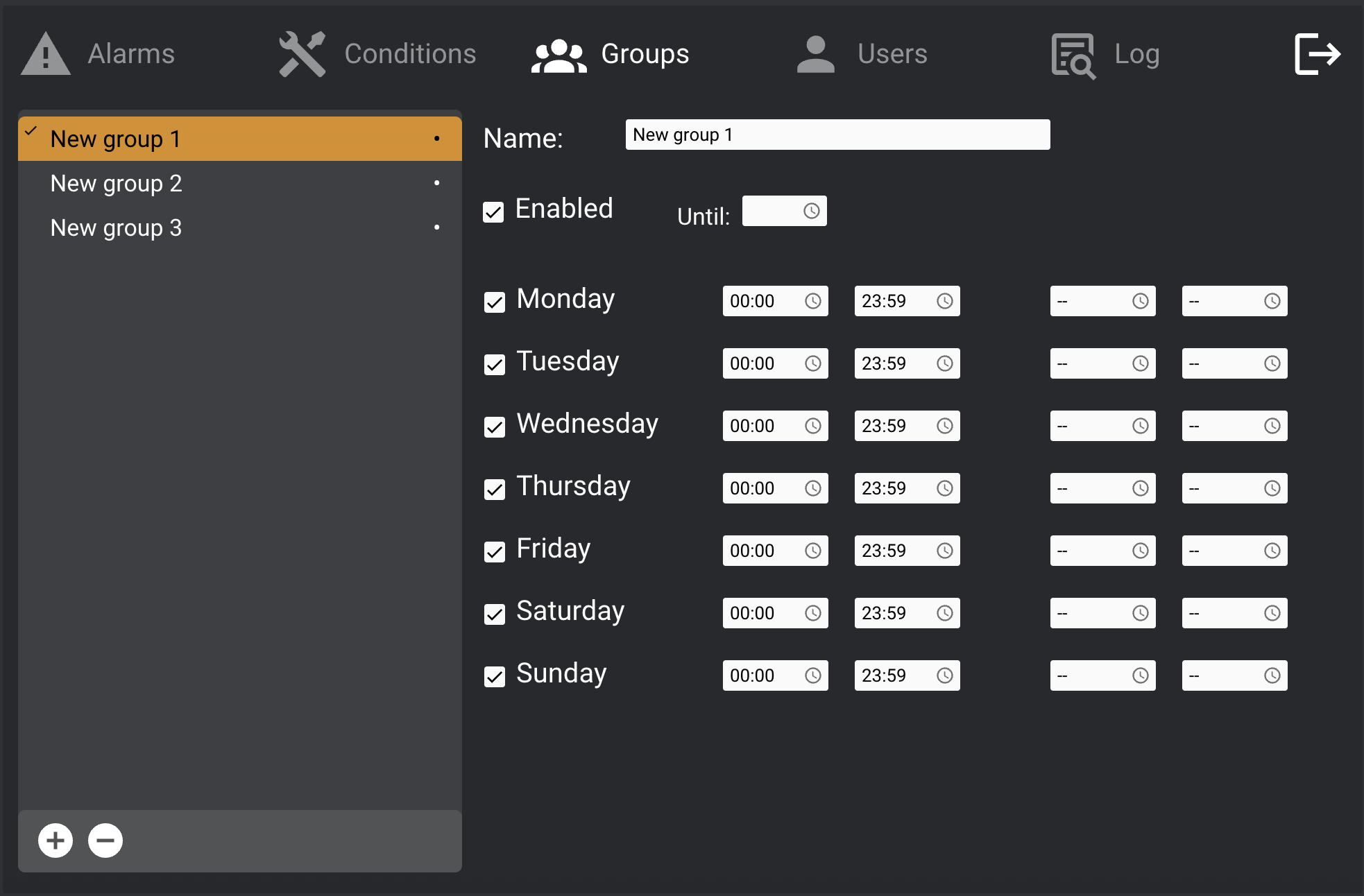
- Create/delete groups using the
+/-buttons at the bottom of the list and enter a name. - For each group, you can:
- Select the days it is active.
- Define up to two time intervals per day when it is active.
- Temporarily enable/disable the group.
Currently active groups display a • symbol next to their names.
Users
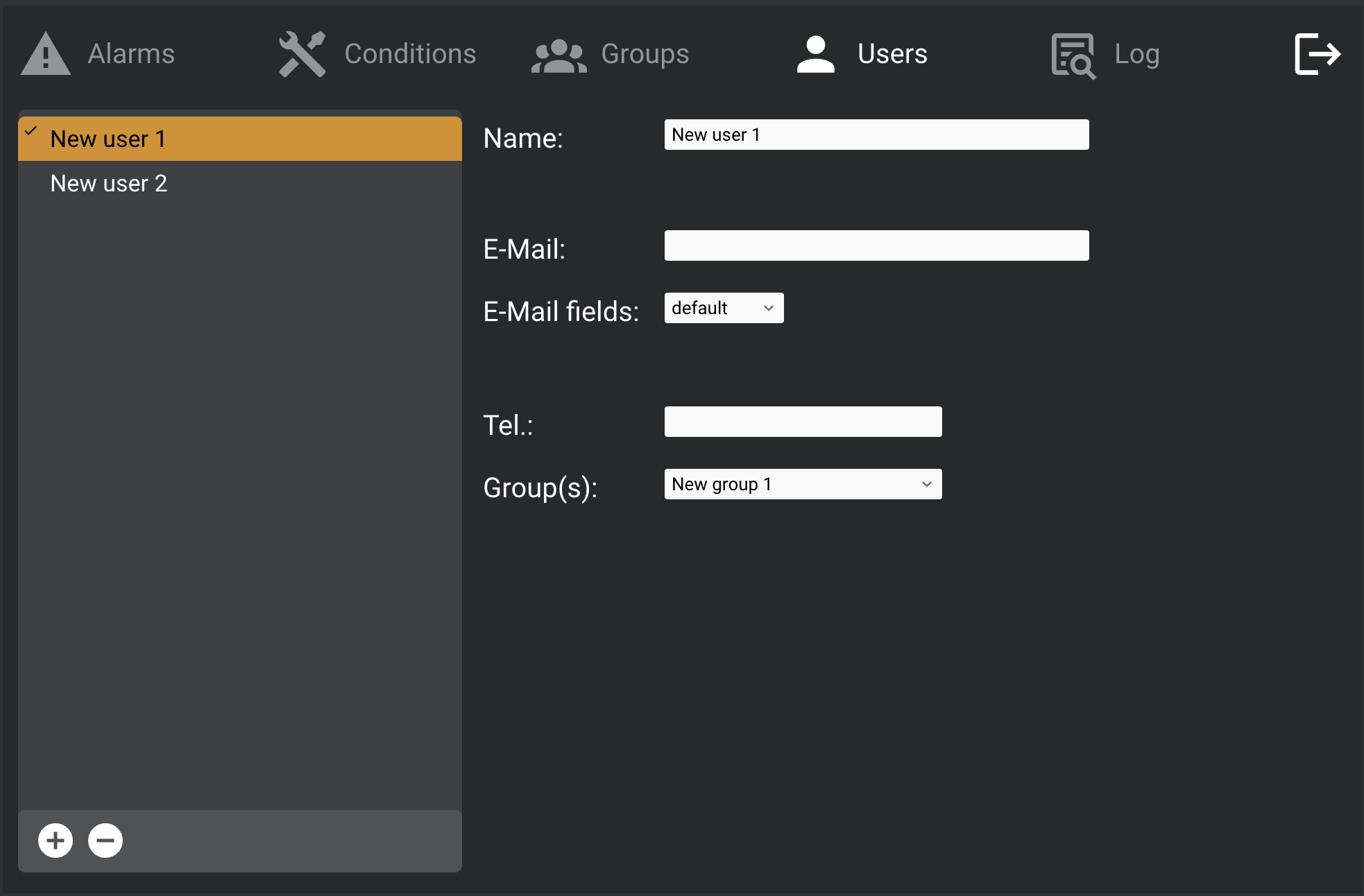
- Create/delete users using the
+/-buttons and enter a name.
User Fields:
- E-Mail: If specified, alarm notifications will be sent to this address.
- E-mail Fields:
- Default: includes date/time, alarm message, datapoint value, and condition level.
- Custom: allows selection of email body elements (alarm message is always included).
- Tel.: Phone number for SMS alerts (requires GSM I/O Server setup). Use the format defined in its documentation.
- Group(s): Assign the user to one or more groups.
Conditions
This section allows defining the datapoints to monitor and the conditions that trigger notifications.
A datapoint can be:
- An I/O Server datapoint
- A system variable
Adding a Datapoint
- Click
+at the bottom of the list. - Enter the datapoint ID and a descriptive name.
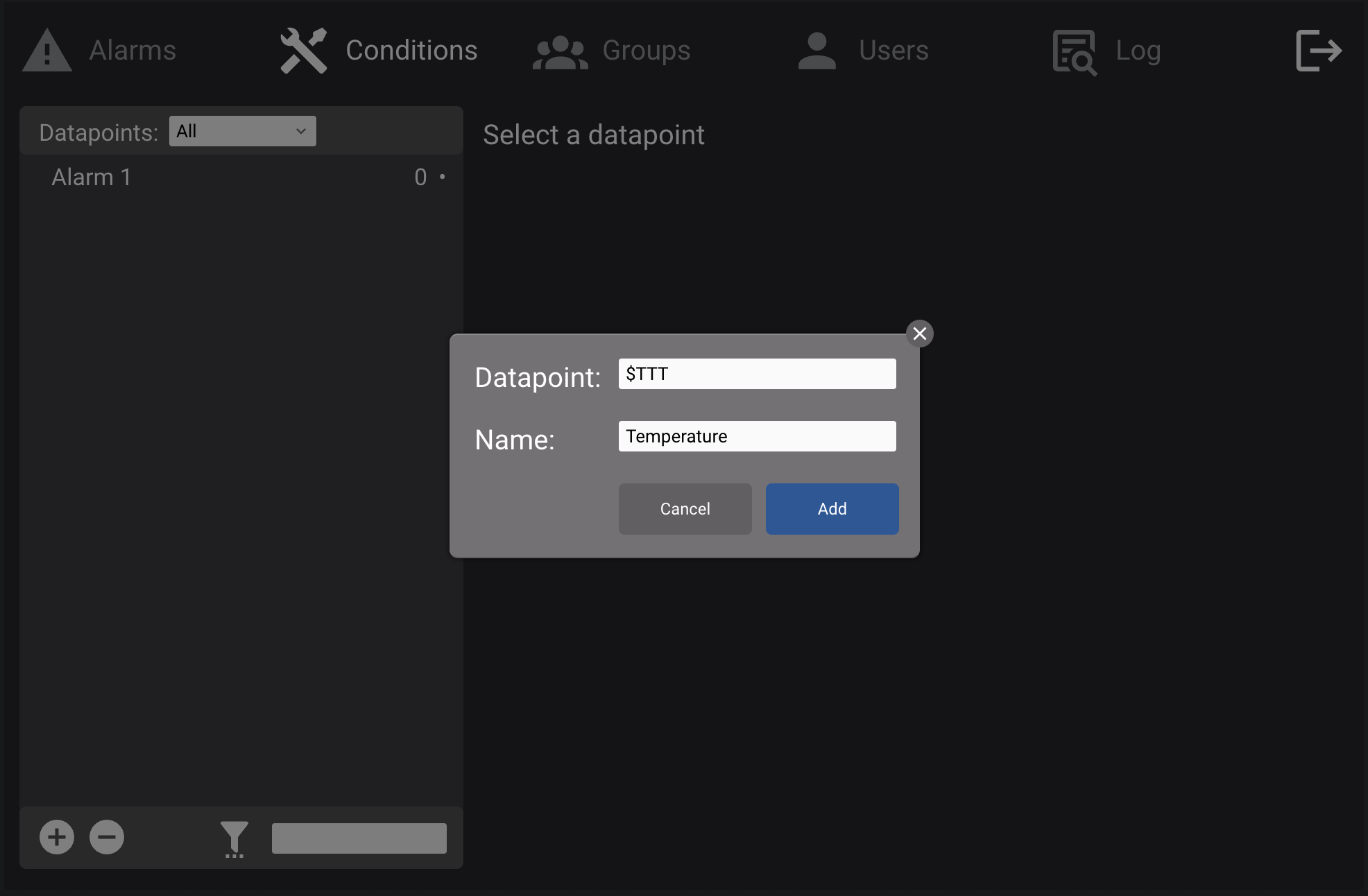
- I/O Server datapoint: use the standard ID.
- Variable: use uppercase and prefix with
$(e.g.,$TEMP). - Optional: define unit of measure and value bounds to discard errors.
- Datapoints can also be temporarily enabled/disabled based on time settings.
Adding Notification Conditions
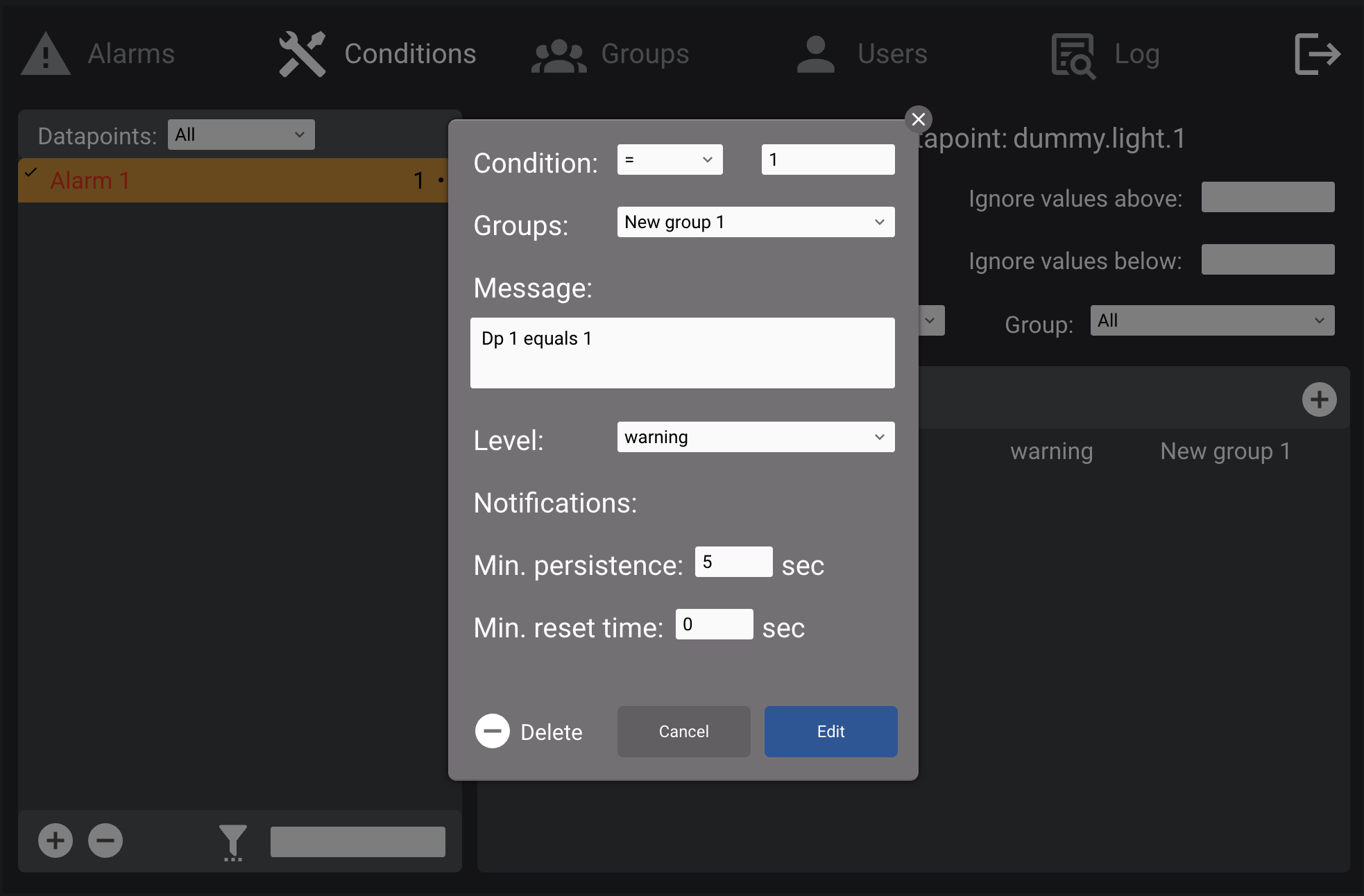
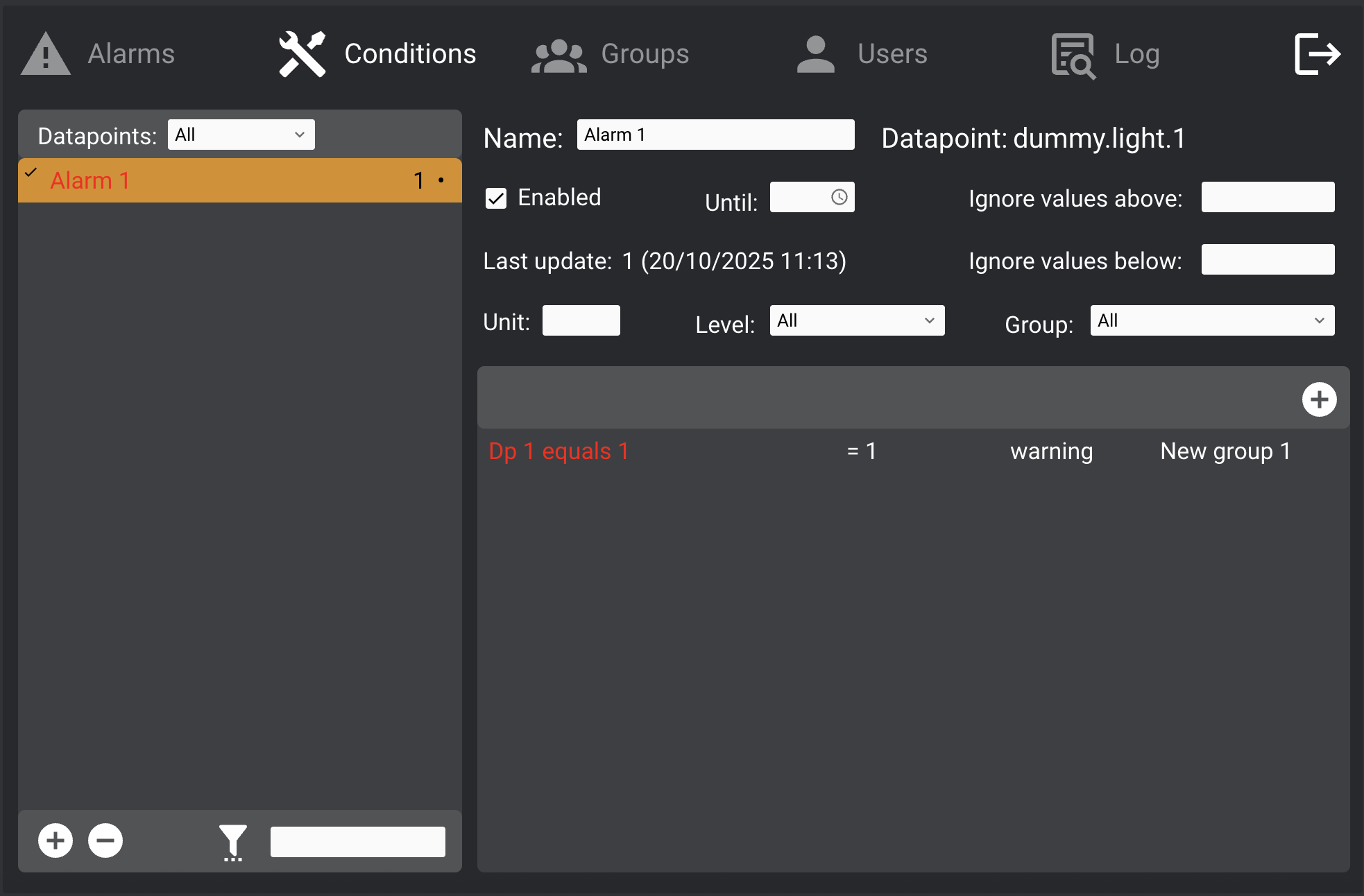
- Condition: Choose from equals (
=), not equals (!), less than (<), greater than (>). - Groups: Target one or more groups.
- Message: Text message with optional
$valplaceholder for triggered value. - Cooldown: Set a time interval to suppress repeated notifications.
- Level:
"Log only": logs the condition but does not notify.- Other levels are defined in
notifications_utility/config/levels.ini.
Example level configuration:
1=warning; 2=danger; 3=system
Datapoints with conditions show a • in the list. If a condition is active, it and the device name turn red.
Alarms
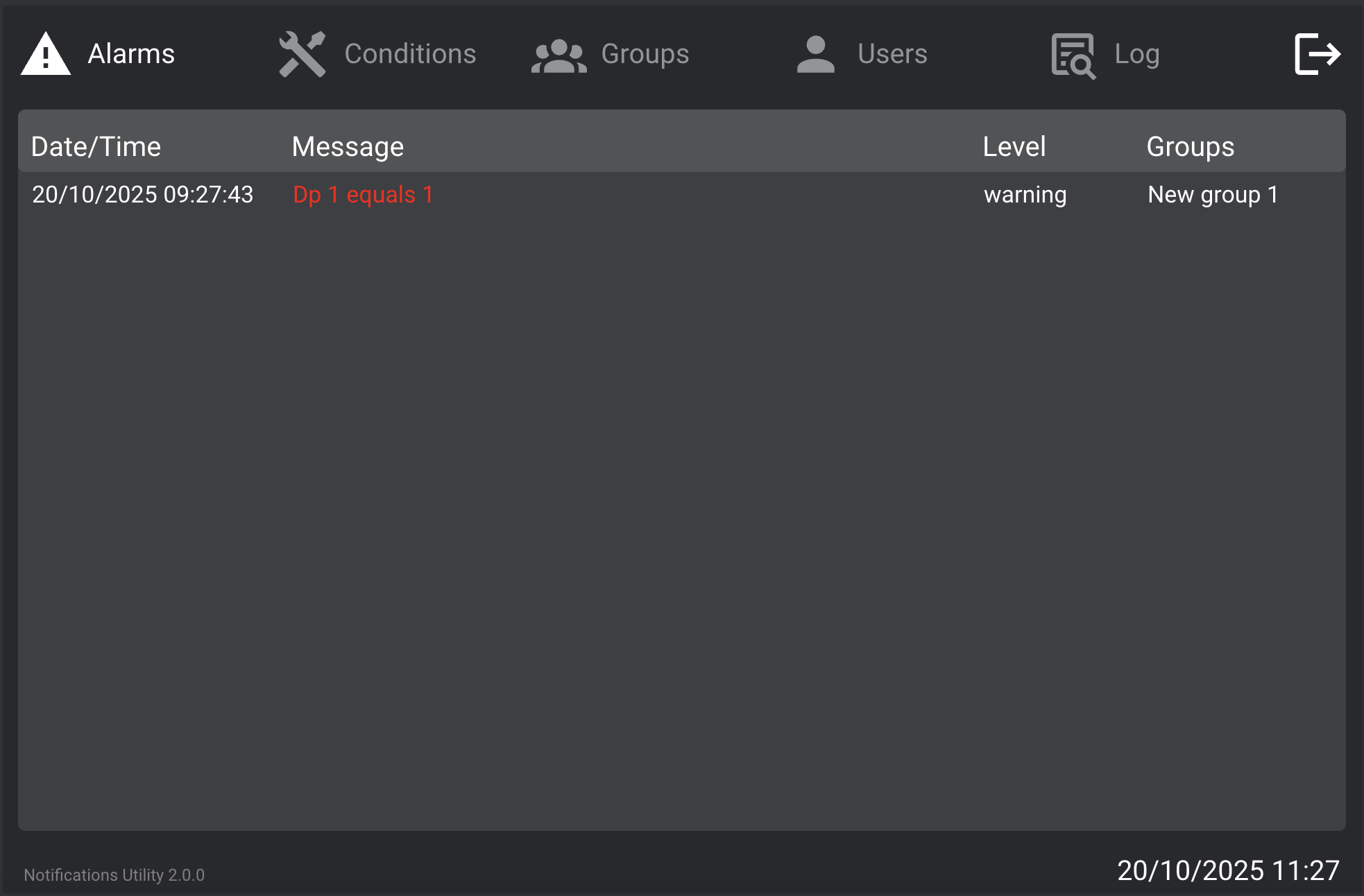
This is the main page showing ongoing alarms.
- When a condition is triggered, the alarm appears here in red.
- Click an entry to acknowledge it (with optional note).
- If the condition persists after acknowledgment, it turns yellow.
- If cleared, the entry is removed.
Log
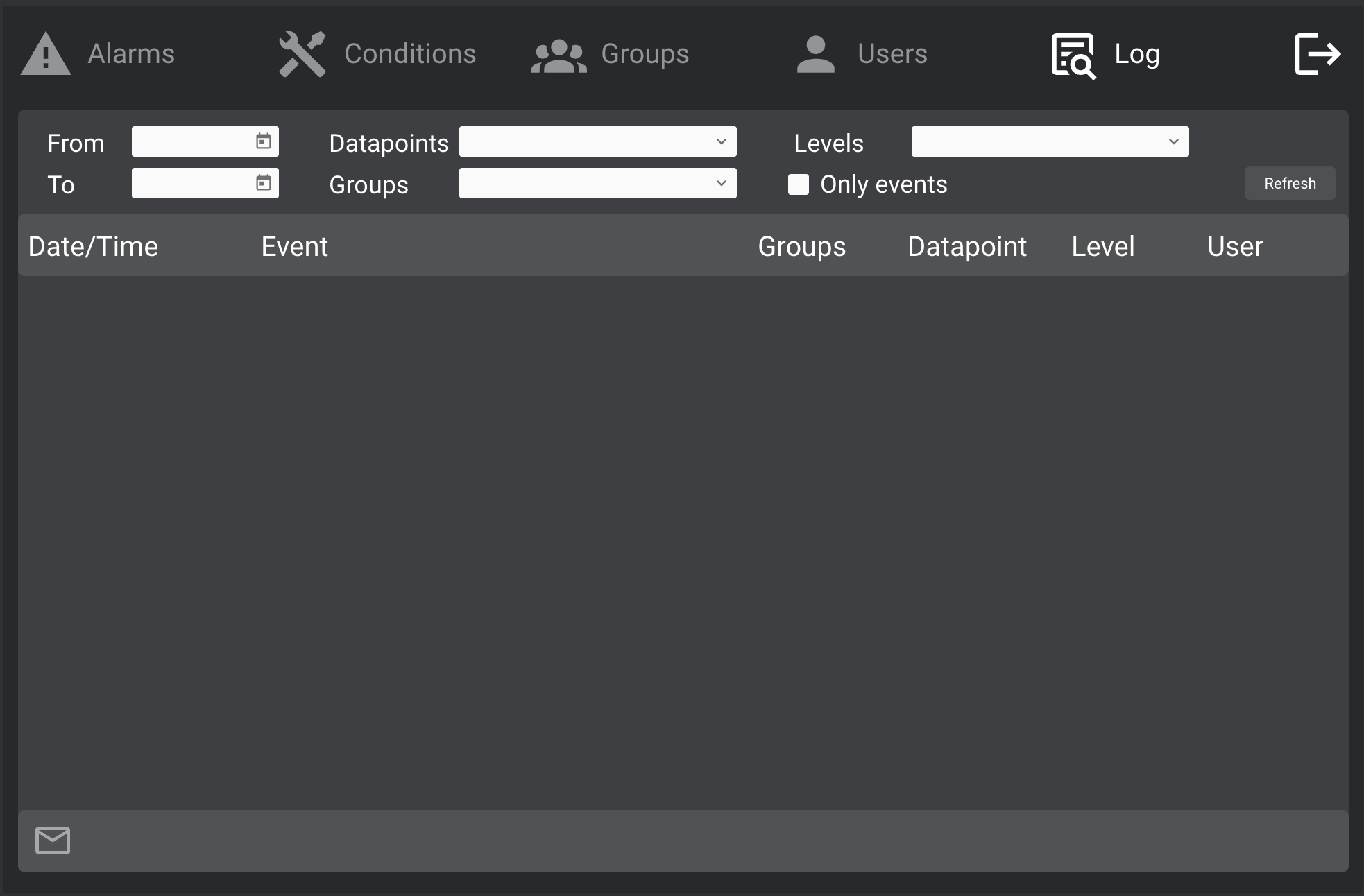
Browse and filter the alarm log database:
- Includes alarm events, resets, and optional notes.
- To search:
- Enter a date range
- Apply optional filters
- Click Refresh
- Click the envelope icon to email the results in CSV format.
Advanced Functionalities
Events
The plugin generates USER events for custom logic.
Global Alarm Event
alarm.new = <notification_message>
Per-Datapoint Events
alarm.<datapoint_id> = 1   // at least one condition is true
alarm.<datapoint_id> = 0   // all conditions are false
Custom Alarm Lists
You can embed the alarms list from the main Alarms page into other projects.
- To show all alarms, copy/paste the list.
- To show alarms for a specific group, append the group ID to the list’s ID and name:
ntfutil.alarm.list.<group_id>
Group IDs are in notifications_utility/config/groups.ini.
Options
The configuration file notifications_utility/config/config.ini supports the following options:
mail_sender: Sender email address for notifications (Default:alarm@hsyco.com)group_lists: Set tofalseif not using custom alarm lists per group.startup_notifications: Controls whether alerts are sent on initial datapoint updates (Default:true)
Example
ini
mail_sender=hello@example.com
startup_notifications=false
group_lists=true